How to test DIGI service in our website with Swagger
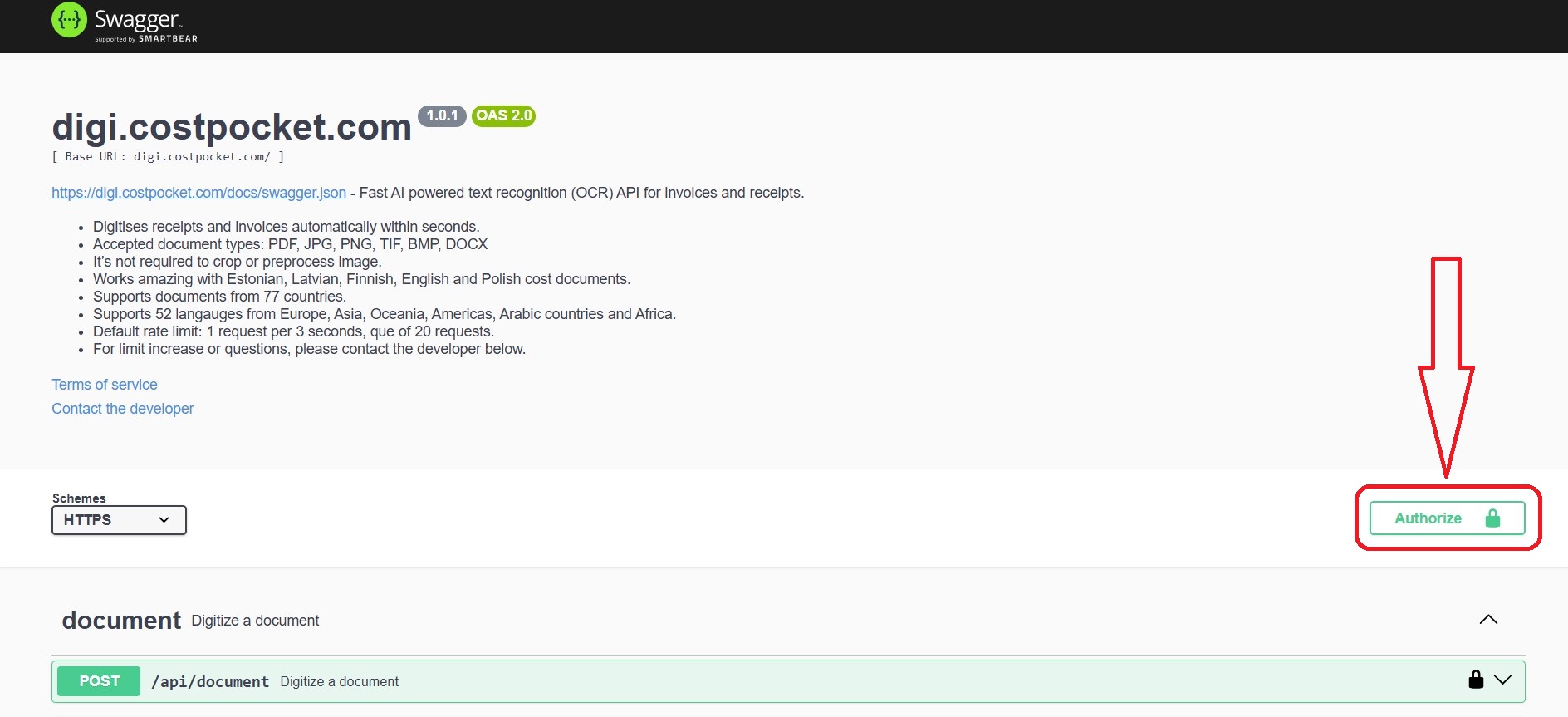
Step 1 - Login
Login or register your account at digi.costpocket.com.
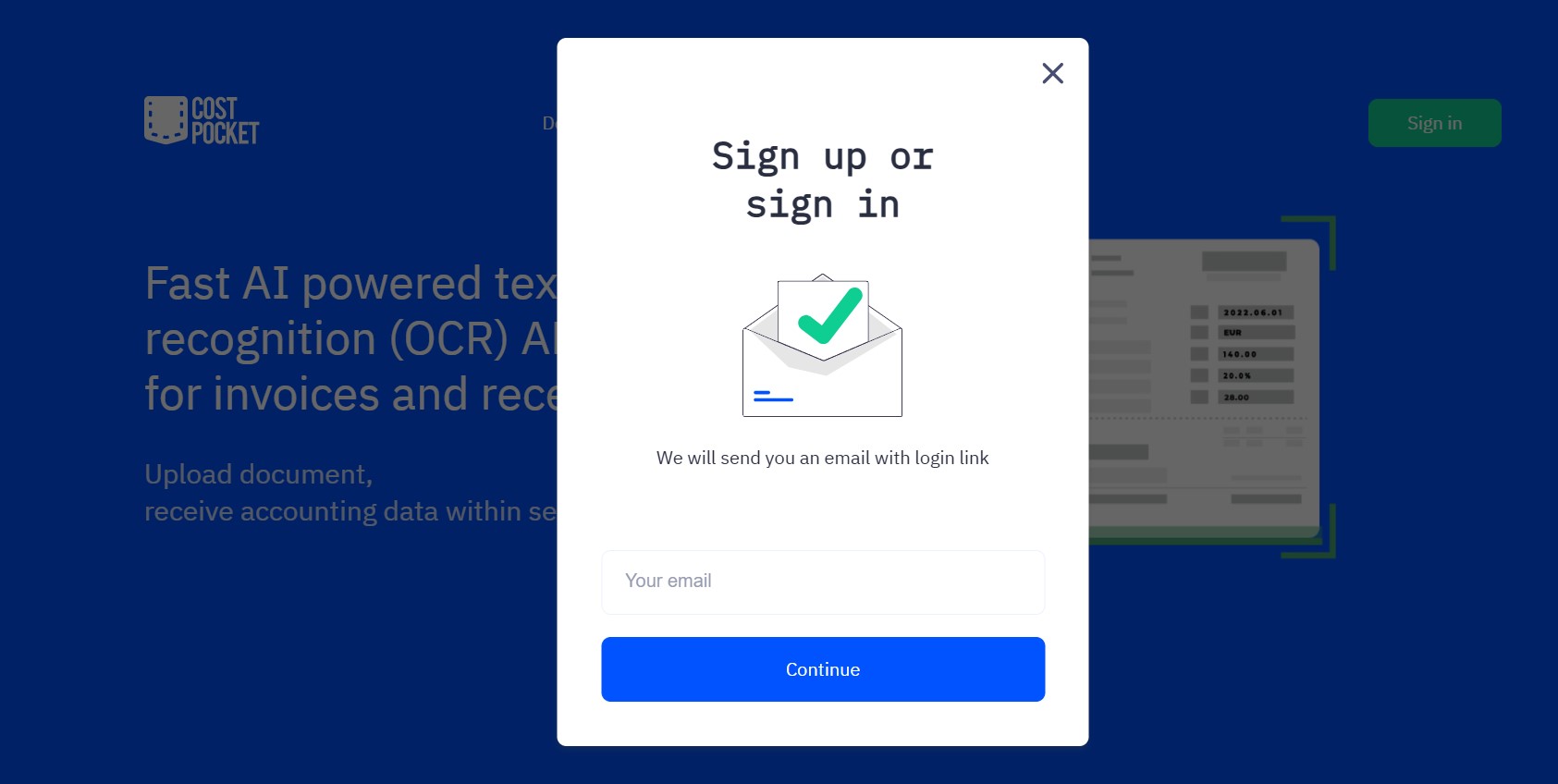
You will receive a one-time usable code to your email. Enter this code and you will be directed to the DIGI Portal.
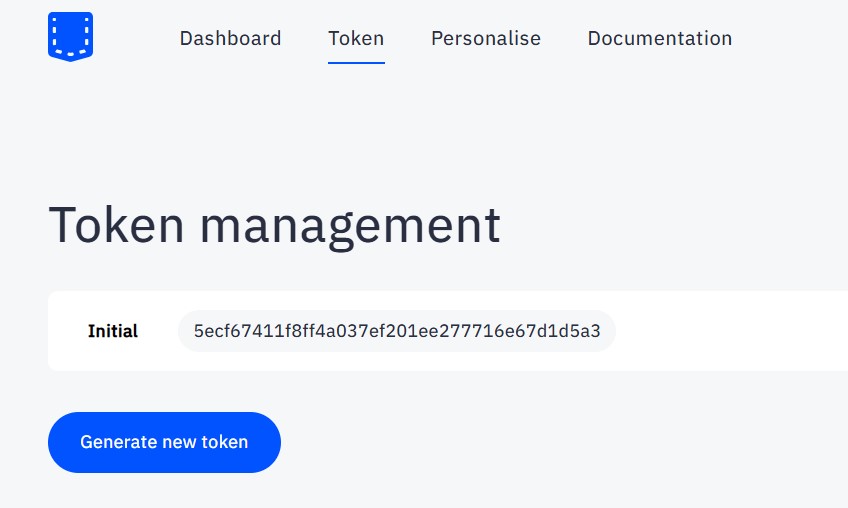
Step 2 - Token
In the DIGI Portal, find your first token. Copy this token, we will need it.
Step 3 - Authorize
Go to the DIGI documentation in Swagger.
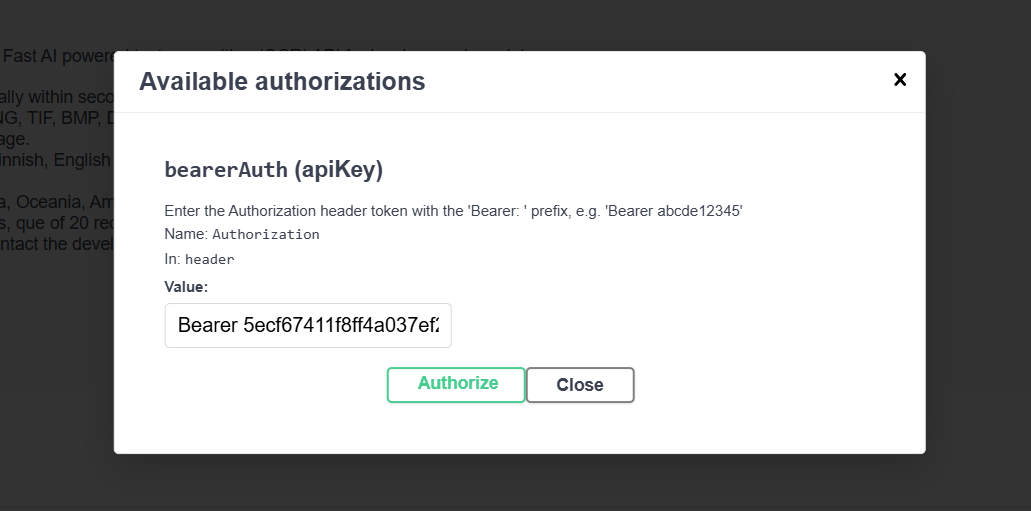
Click "Authorize" and enter your token in format "Bearer your-token-here". Then click "Authorize" and "Close".
Step 4 - Pick endpoint
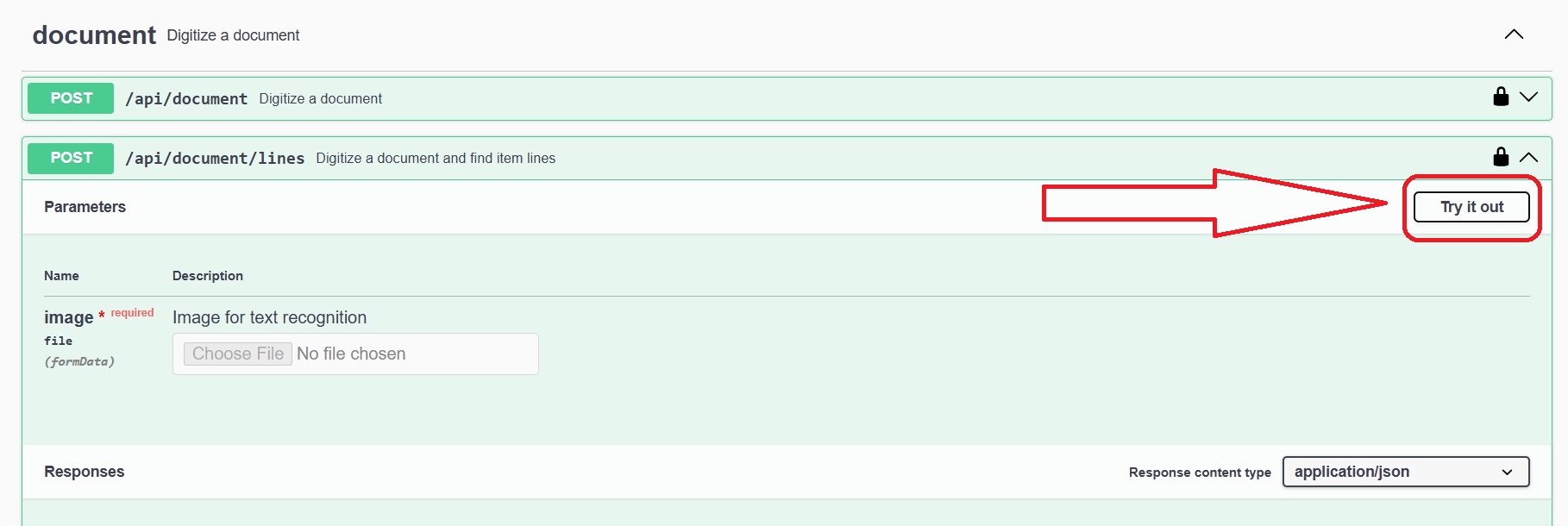
Select the endpoint you would like to test. Click on it and then click "Try it out".
Step 5 - Execute
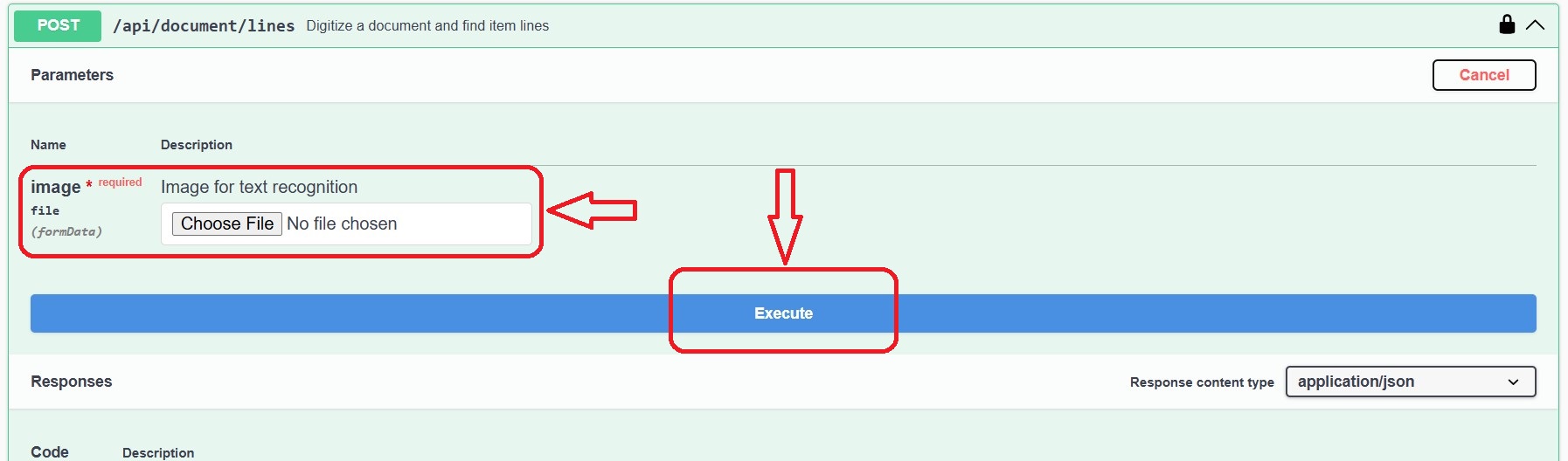
Upload your document and click "Execute". Wait a few seconds and see your result.
All done!
After this, make more requests, test the service in some other environment or integrate into your code.
See more tutorials below:
JavaScript tutorial
Postman tutorial
JavaScript tutorial
Postman tutorial